How do I create an account?
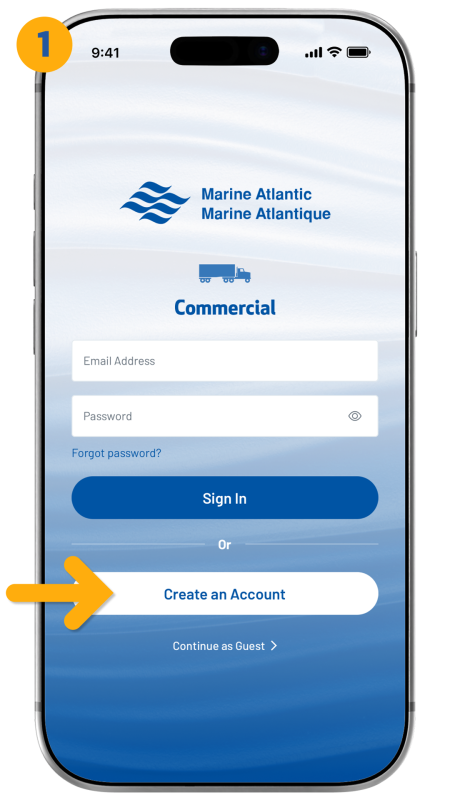
- If you are currently on the login screen, tap "Create an Account" to begin.
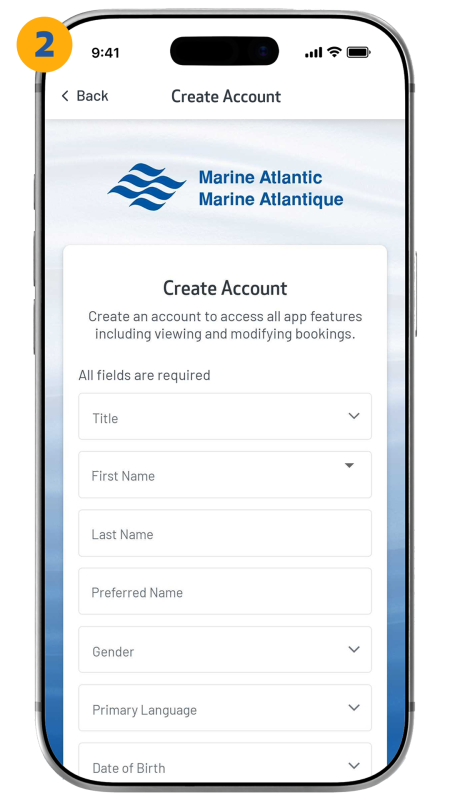
- Enter your details by filling in every field, as they are all required.
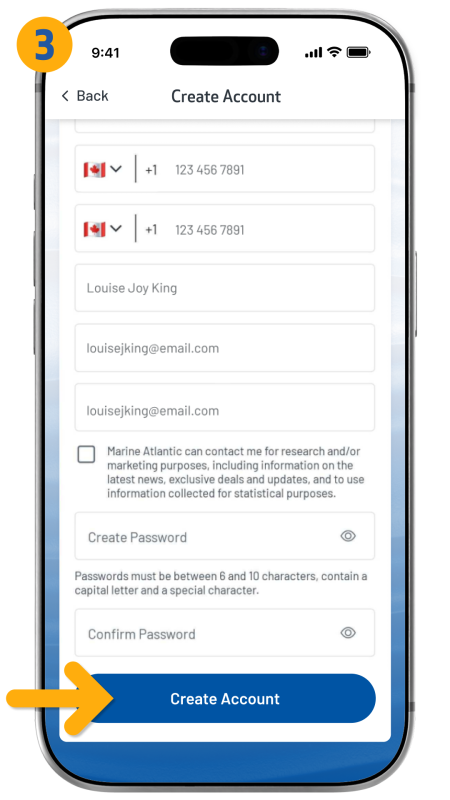
- Tap "Create Account" to complete your setup and finish the process.
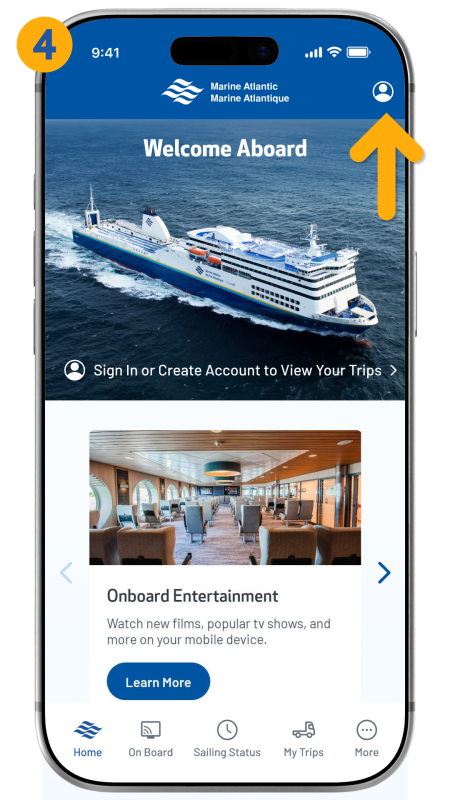
- If you are currently using the app in guest mode, tap the icon in the top-right corner, and follow the previous three steps.
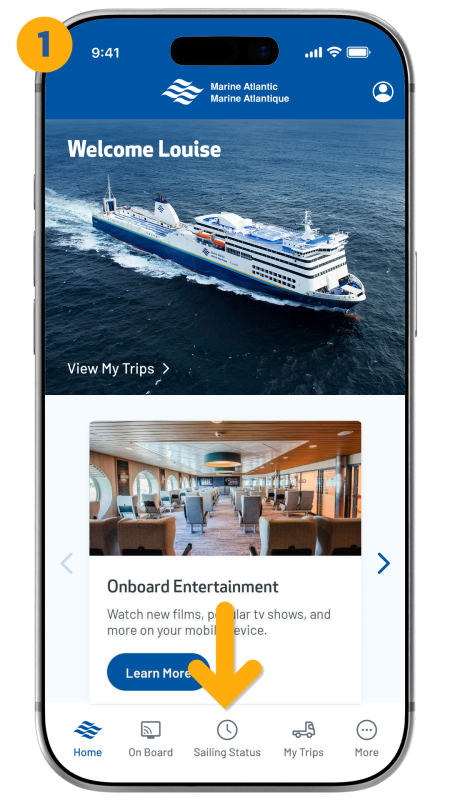
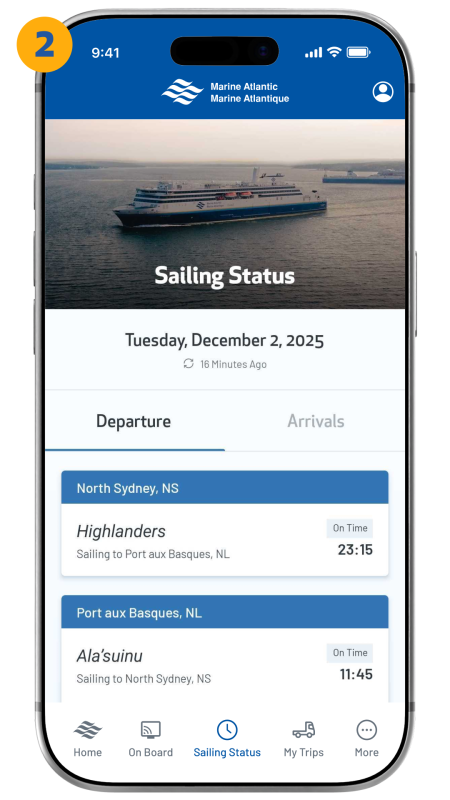
How do I check my sailing status?
- Tap the "Sailing Status" icon located in the bottom navigation bar.
- From here, you will see all current arrivals and departures for each terminal displayed in real time.
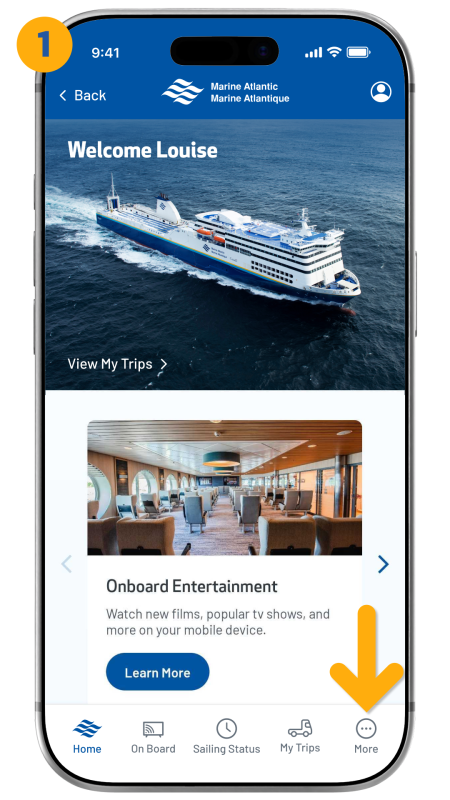
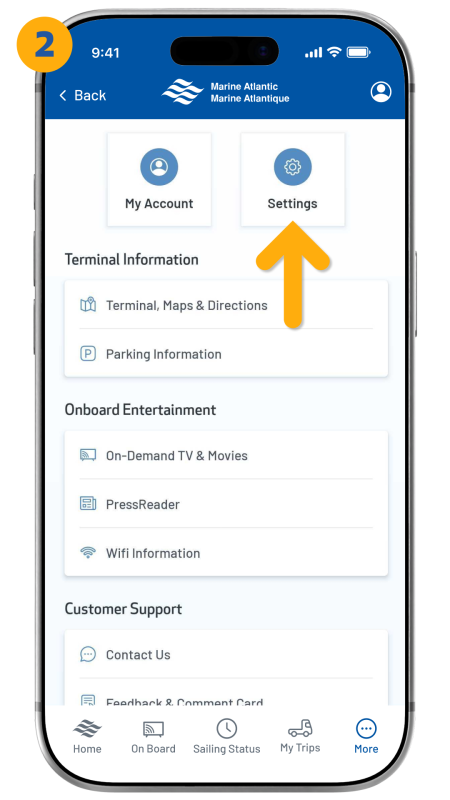
How do I change my password?
- After logging in, tap the "More" icon located in the bottom-right corner of the navigation bar.
- From here, tap “Settings”.
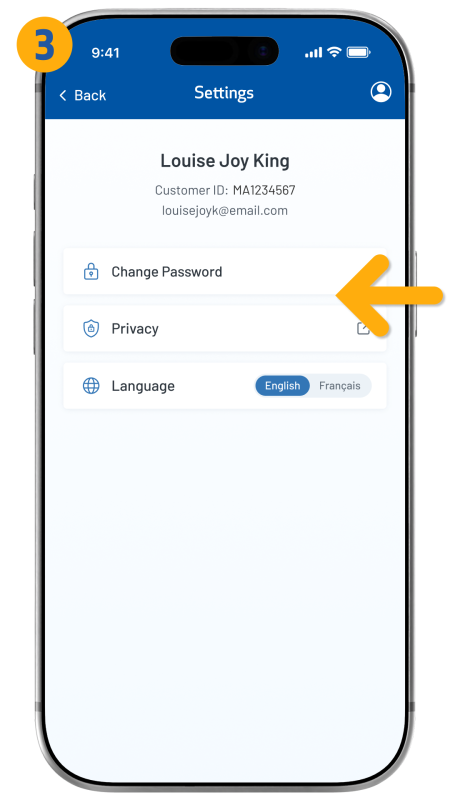
- Tap “Change Password”.
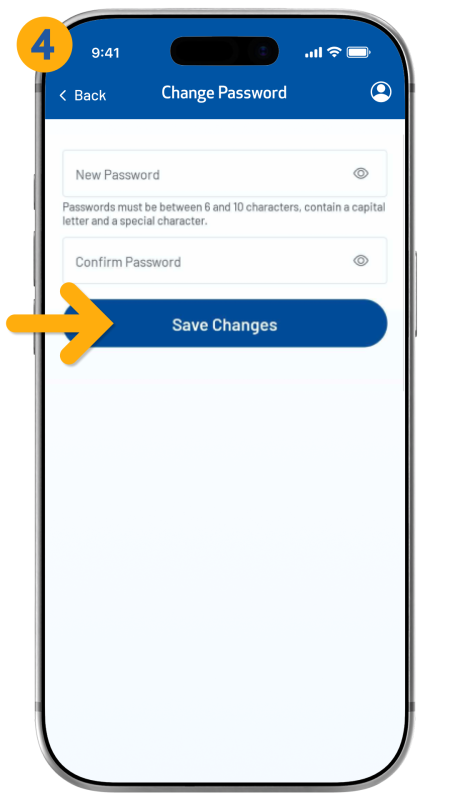
- Fill out all fields, then tap “Save Changes”.
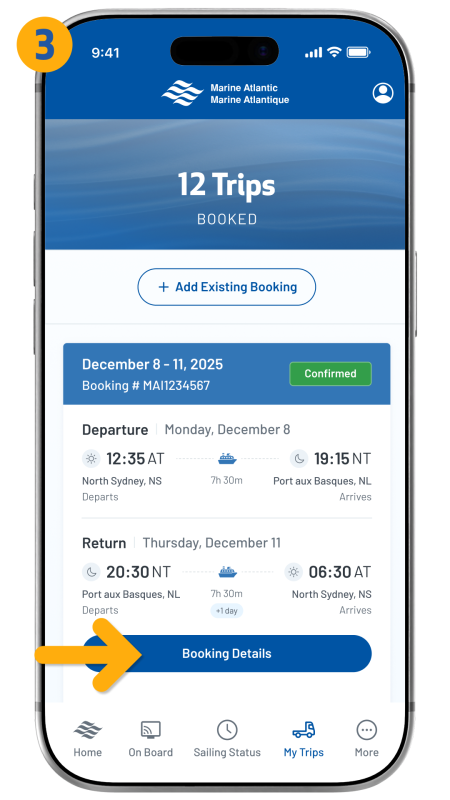
How do I view my trip?
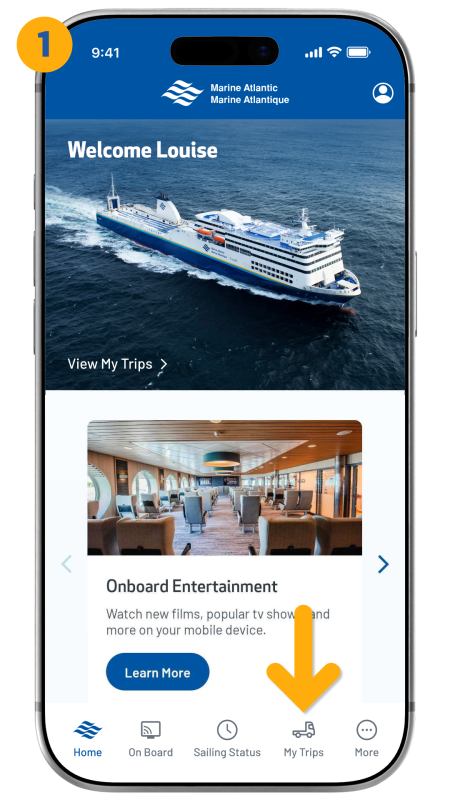
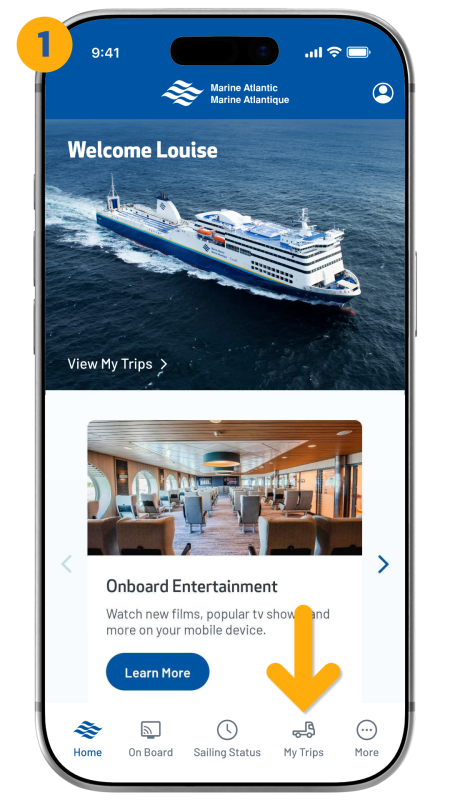
- After logging in, tap the “My Trips” icon from the bottom navigation bar.
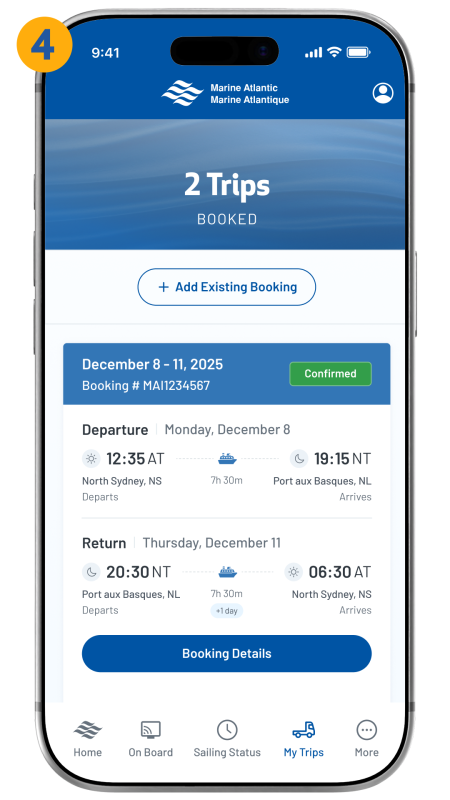
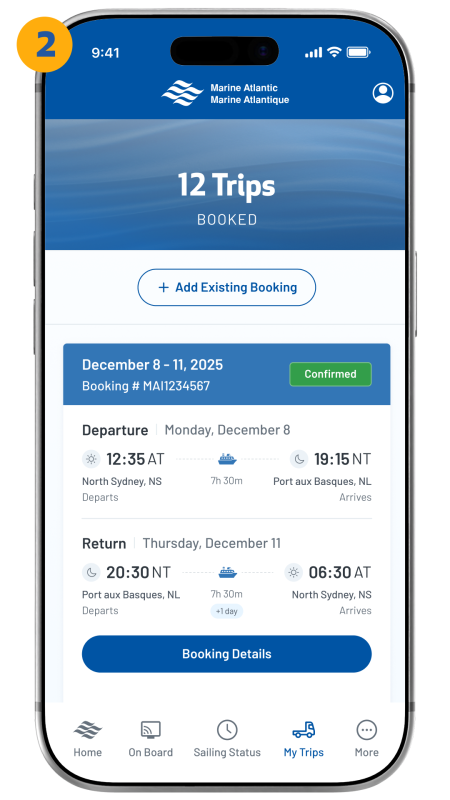
- You will see an overview of your booked trips.
- For more information, tap "Booking Details" on the specific trip you want to review.
How do I add an existing trip to the app?
- After logging in, tap the “My Trips” icon from the bottom navigation.
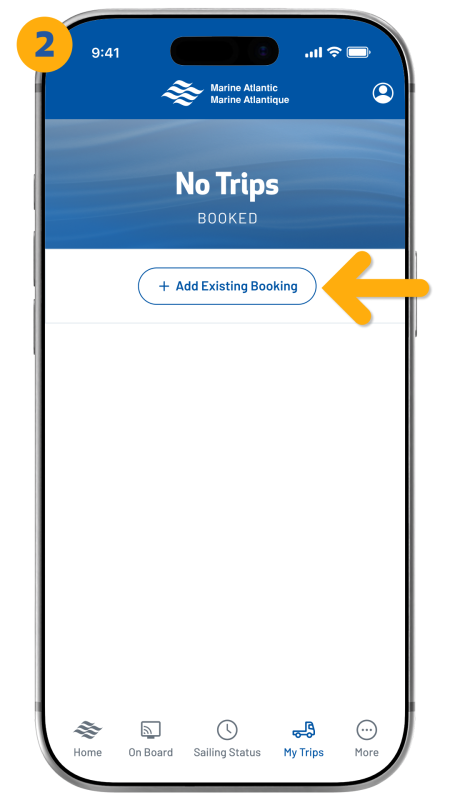
- Tap "Add Existing Booking".
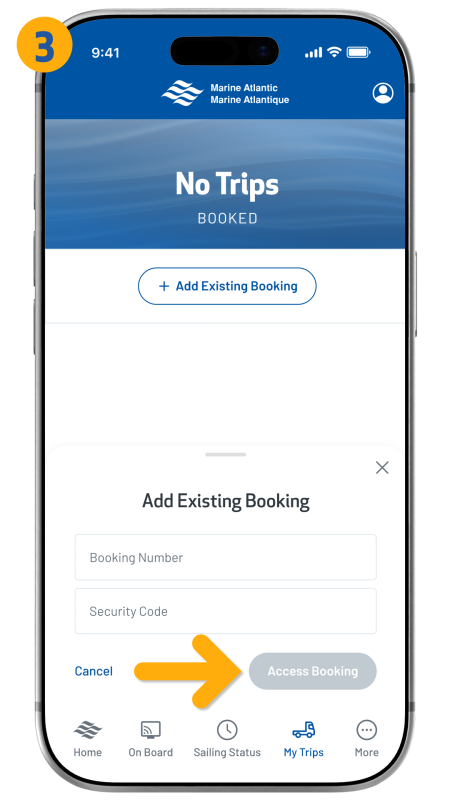
- From here, enter the booking number and the security code, and then tap “Access Booking”.
- Your booking will appear in your trip list.